

Find the useful line
Search messages, namespaces, stacks and structured arguments without losing the surrounding stream.
Learn moreNativeScope module 03 · available now
Capture JavaScript console output from boot, inspect the values behind each line and connect the moment that matters to every request and storage write around it. Fully local, inside the same Studio.
console.*passthrough capture, no new logger
1 lineto enable the whole module
×N + droppedhonest protection from bursts
0 cloudlocal service, local Studio
The reason Logs matters
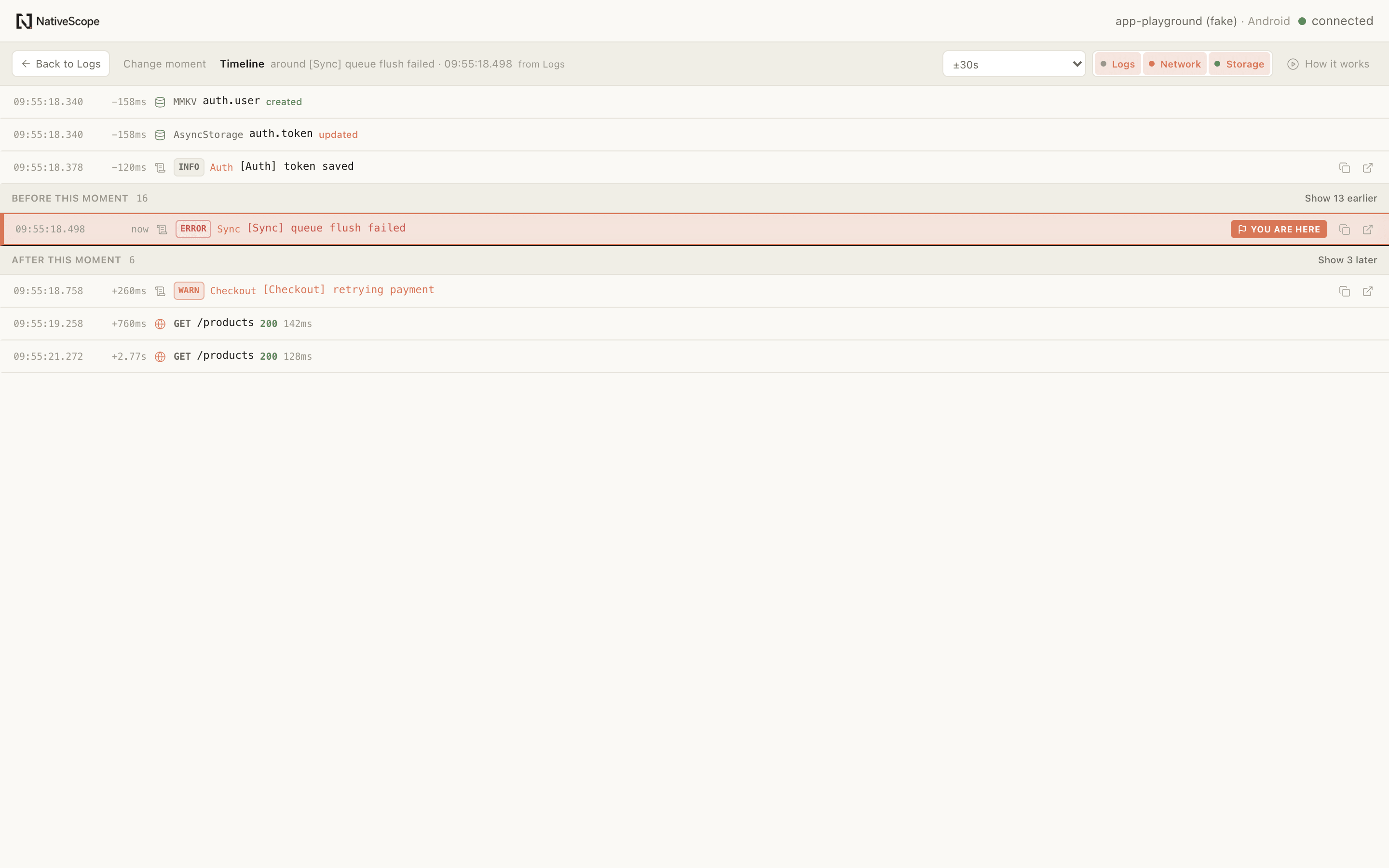
A console line rarely explains itself. Open Timeline from a log, an error, a failed request or a Mark and NativeScope aligns the three sources on one clock. The selected moment stays unmistakable; the context before and after can expand only when you need it.
Read what the app actually emitted
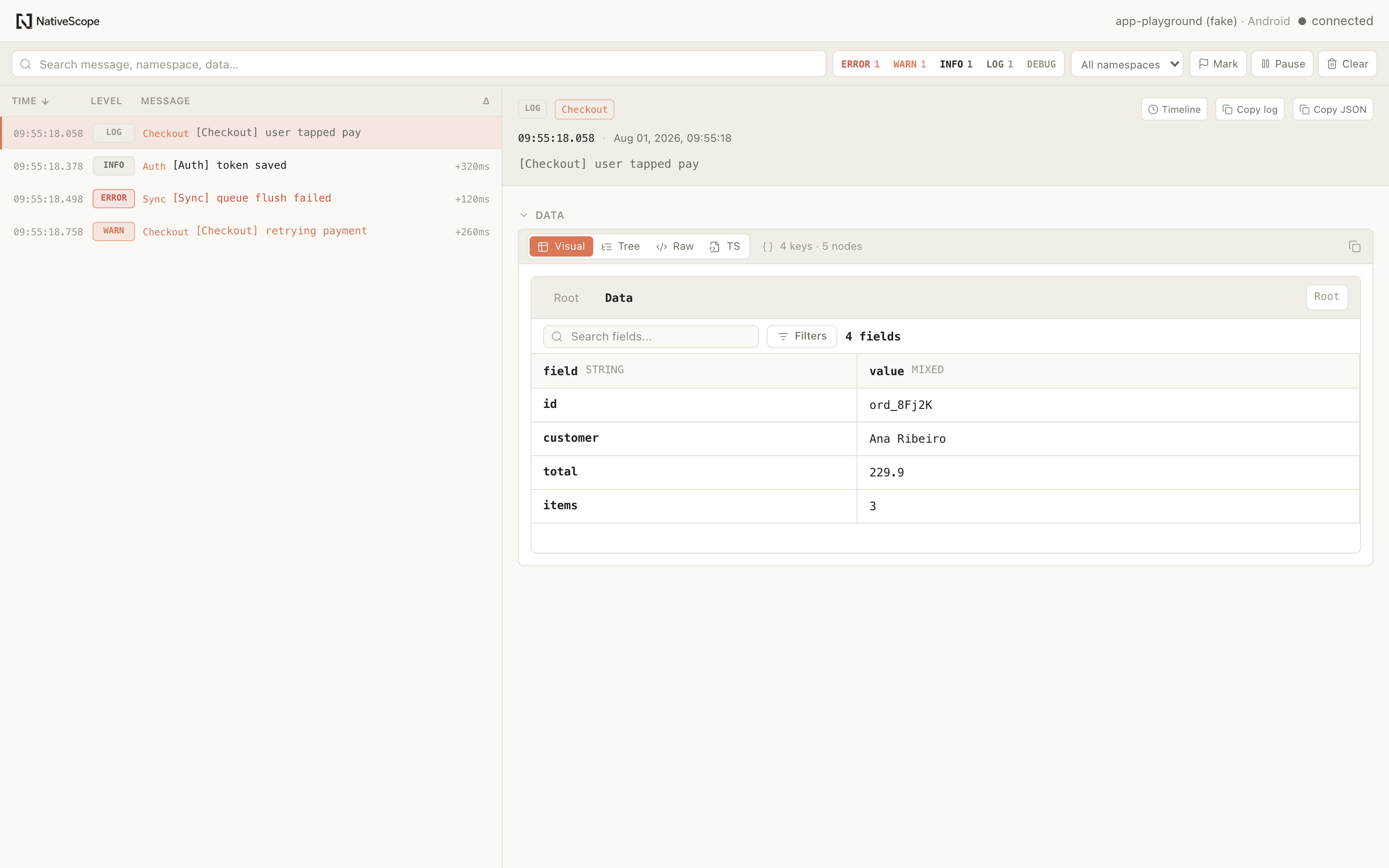
The list stays chronological and virtualized for long sessions. Filter by level or namespace, search the message and its data, expand any line and open the complete object in the same viewer you already know from Storage.
Built for real development streams
Logs keeps the ordinary console workflow intact, then adds the controls that make a long, noisy session understandable when something goes wrong.
Search messages, namespaces, stacks and structured arguments without losing the surrounding stream.
Learn moreObjects, arrays and errors open in the same visual JSON workspace used by Storage — not a flattened terminal preview.
Learn moreCopy a log or its JSON payload into a bug report, issue or investigation without reconstructing it by hand.
Learn moreRepeated lines become ×N, bursts respect a per-second ceiling and dropped entries stay visible instead of disappearing silently.
Learn moreDrop a marker before an action, keep the earlier stream out of the way and focus on everything that follows.
Learn moreOpen Timeline from a log, error or request and place Logs, Network and Storage on one chronological axis.
Learn moreThe whole integration
Start with the defaults. When a project needs a narrower stream, configure levels, payload bounds, batching, the startup buffer or ignored namespace patterns in the same root config file.
See the configurationimport { defineNativeScopeConfig } from
"react-native-nativescope/app"
export default defineNativeScopeConfig({
modules: {
logs: true,
},
})Useful boundaries
JavaScript scope. Logs captures the JavaScript console and global uncaught errors and rejections. It does not replace native device logs or Metro’s terminal.
Finite by design. Startup buffering, entry limits, bounded values, repeated-line merging and a per-second ceiling protect the app from turning its own debug stream into a performance problem.
Local is not automatic redaction. Captured values stay in the local development path, but console arguments are still sensitive. Do not log secrets; Logs does not silently redact them for you.
Logs is live