

Open source · Runs entirely on your machine
See your React Native app's data. Live.
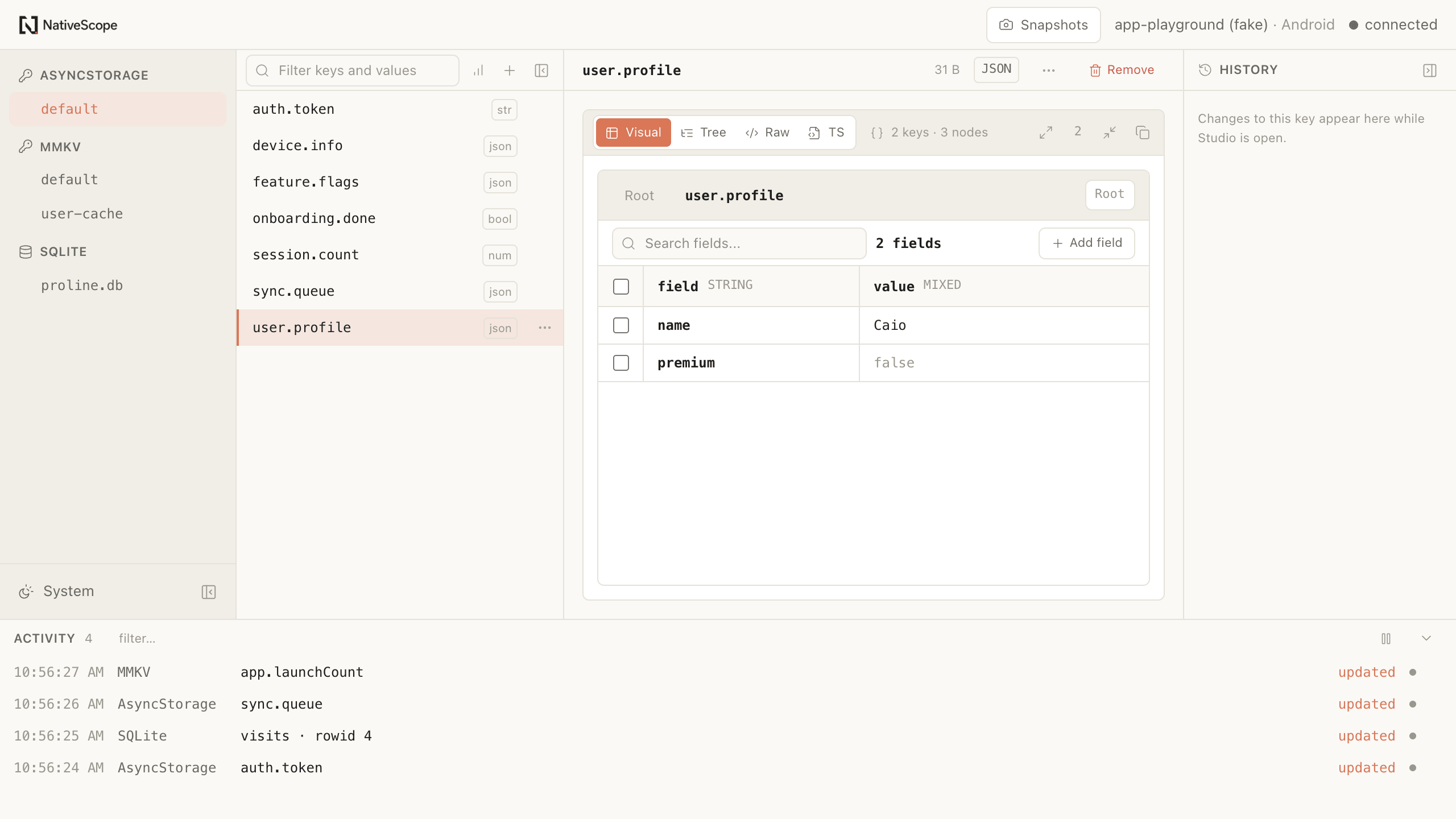
NativeScope is a plug-and-play studio for inspecting and editing AsyncStorage, MMKV and SQLite while your app runs. No provider, root component wrapper or instance registry.
- Zero app code
- Dev-only by design
- Fully local
3storage engines
one studio
0providers, wrappers
or registrations
O(viewport)rendered rows stay tied
to what you see
127.0.0.1your data remains
on your machine
Designed for the dataset you actually have
A window into gigabytes.
Never a copy of them.
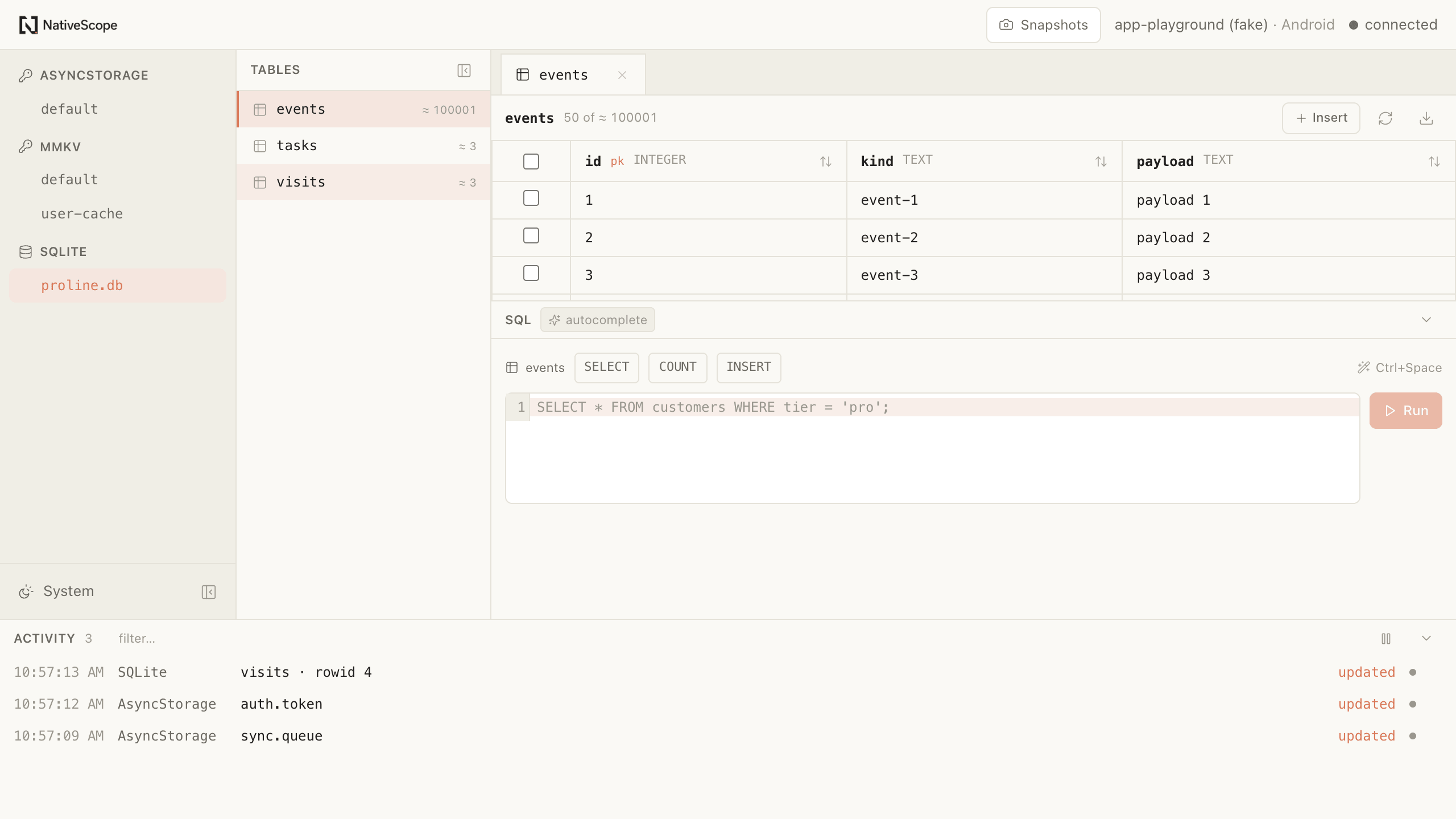
NativeScope never serializes an entire database table to render a grid. Paged values, streamed payloads and virtualized rendering keep transfer and DOM work bounded. The same viewport mounts the same number of rows with ten records or ten million.
- Cursor pagination
- Only requested values or rows cross the wire.
- Bounded previews
- Large values open instantly, then stream in full.
- Frame budgets
- Performance contracts are enforced in CI.
import AsyncStorage from
  '@react-native-async-storage/async-storage'

await AsyncStorage.setItem('session', value)same import
same API
+ live instrumentationDetected automatically
Plug-and-play is architecture, not a slogan
Your code stays yours.
NativeScope attaches at the Metro resolver. It substitutes the storage modules your app already imports with transparent development shims, then gets out of the way for release builds. No provider. No root wrapper. No instance registry.
A hands-on taste — the real product, in your browser
Your storage is a nested mess.
Go ahead — edit it anyway.
Every inspector hands a value back as a raw tree and wishes you luck. We built a table you can actually work in. Change something on the left and watch the app react live — then tap the app and watch the exact field light up. This is the Studio, running right here.
Appearance
Notifications
Tap anything — the table lights the exact field. Edit the table — the app reacts.
What you get
A focused toolkit for understanding, editing, and stress-testing the data your React Native app keeps on device.
Declare modules, not instances
Enable Storage in one config line, then a Metro resolver detects AsyncStorage, MMKV, expo-sqlite and op-sqlite on its own. You never import, mount, wrap or register a storage instance by hand.
Bidirectional and realtime
Edit a value in the studio and the device storage changes immediately. Write from the app and the studio shows it as it happens. Cache-backed screens use the optional one-file bridge below.
Nothing leaves your machine
The studio talks to your app over a local WebSocket on 127.0.0.1. There is no account, no telemetry and no cloud. Your production data stays yours.
Built for gigabytes
Paged values, bounded wire messages, streamed large payloads and virtualized rendering keep the expensive work tied to what you inspect, not to an entire database.
A real SQLite client
Browse schema, edit rows inline, run arbitrary SQL against the live database on the device, and export a table without pulling it through memory. Views count as first-class objects — including the INSTEAD OF trigger schemas sync engines generate.
Keeps your cache honest
If your screens render through React Query, one line in your config file invalidates the right queries when the studio changes data, so the UI never lies.
See NativeScope in motion
A real debugging session. No polished shortcuts.
Follow the complete flow from connecting a running React Native app to finding, editing, comparing, and restoring its local data inside the Studio.
Three steps, and there is no fourth
Add it as a dev dependency
Release builds bypass every instrumentation shim. NativeScope's CI exports a real release bundle and fails if the shim marker appears.
npm install --save-dev react-native-nativescopeyarn add --dev react-native-nativescopepnpm add -D react-native-nativescopebun add --dev react-native-nativescopeDeclare the modules you want
Create nativescope.config.ts and turn each module on in a line. Storage instances are still discovered for you — you only name the module.
import { defineNativeScopeConfig } from "react-native-nativescope/app"; export default defineNativeScopeConfig({ modules: { storage: true, }, });Run it, then open your app
NativeScope starts Metro with its resolver, opens the studio, and sets up the Android tunnel if a device is connected. Launch your app and the modules you enabled appear in the sidebar.
npx nativescopeyarn nativescopepnpm nativescopebunx nativescope
Engineering journal
No magic. Just decisions you can inspect.
Questions worth answering directly
Do I have to change my app code?
You add one root nativescope.config.ts to declare which modules to enable, but never a provider, a root-component wrapper or an instance registry. Storage instances are still discovered automatically in development; that same file is also where app-side behavior lives, such as the update indicator or automatic React Query cache invalidation.
Can this end up in a production build?
No. The Metro resolver bypasses every NativeScope shim when dev is false. The NativeScope repository also exports a real release bundle in CI and fails if the shim marker appears.
Does any of my data get uploaded?
Never. The studio is a local web client that connects to your app over 127.0.0.1 with a per-session token. Data is read on the device and rendered on your machine. There is no server in between.
Which storage libraries are supported?
AsyncStorage, MMKV (including multiple named instances, discovered automatically), expo-sqlite and op-sqlite — the two SQLite drivers can even be used side by side in one app. The adapter layer is generic, so more providers can be added without protocol changes.
Does it work if my app queries SQL views instead of tables?
Yes. Views are listed as first-class objects, grouped separately and labelled with the tables they read, and they are read, counted, searched and exported like tables. Where SQLite accepts writes — a view with the matching INSTEAD OF trigger — you can edit rows too, with the row key derived from the trigger itself and every write proved to match exactly one row before it runs. This is what makes the inspector usable on a sync engine's local database, where the tables your app queries are views over opaque JSON.
What happens if a value is enormous?
You still get all of it. Large values arrive as a bounded preview first so the UI stays responsive, with the complete value streamed on demand in chunks. Editing is blocked until the full value is loaded, so a preview can never overwrite real data.
Does it work on a physical device?
Android devices work over an adb reverse tunnel that NativeScope sets up and keeps alive on its own. The iOS simulator works out of the box.